What Counts as a View on Instagram Reels? (2026)
Meta quietly redefined what counts as a view on Instagram Reels. Here's exactly what the number means now—and why it changes how you read your metrics.
"Views" used to mean one thing. Then Meta changed it, told almost no one, and left a few million creators staring at numbers that no longer meant what they thought.
Here's what counts as a view on Instagram Reels as of 2026: any time your Reel appears on screen, even for a single frame. You read that right. One frame. No intentional pause required, no audio play, no engagement of any kind. If the Reel rendered on someone's screen while they were mid-scroll, Instagram logs it as a view. That's the post-2024 definition, and it's the one your Insights dashboard uses right now.
So when your Reel says 40,000 views, a meaningful chunk of those are people who never stopped scrolling. That's not a bug. That's the metric.
TL;DR
What counts as a view on Instagram Reels (2026): any on-screen render, including auto-plays while scrolling. Views ≠ reach (reach counts unique accounts). The view count is a vanity-adjacent signal; the metrics that actually predict distribution are hook rate and hold rate (hook rate benchmark: 50%+, hold rate 50%+ for sub-15s clips). If you want to know whether your view count is actually good, start with what a strong view total looks like by account size.
Why Meta changed the view definition
Meta aligned Instagram's definition with Facebook's — and Facebook has counted any on-screen render as a view for years. The stated reason was cross-platform consistency so advertisers could compare reach across surfaces. That's a real business motivation.
The side effect: creators woke up to view counts that looked dramatically higher than before, with no change in actual performance. Accounts that relied on views as a health signal had to recalibrate entirely.
It wasn't announced with a banner. It showed up in a small-print update to Meta's metrics glossary, and most creators found out through the comment section of someone else's confused post.
The four numbers on your Reel — and what each one actually measures
This is the part most explainers skip. Your Reel Insights screen shows several numbers, and conflating them is where most diagnostic errors happen. I call this the Metrics Ladder, because each rung measures a deeper level of intent.
| Metric | What Instagram measures | What it actually tells you |
|---|---|---|
| Views | On-screen renders (1 frame+) | Raw exposure volume; includes passive scrollers |
| Reach | Unique accounts that saw it | True audience size; deduplicates repeat renders |
| Plays | Total times the video played (including replays) | Engagement depth; can exceed reach if people rewatch |
| Accounts Reached | Unique people, broken down by follower vs. non-follower | Distribution quality; non-follower % shows algorithmic push |
Views will always be your biggest number. Reach will be smaller. Plays can be larger than reach if you have strong rewatch behavior.
None of these is the signal the algorithm actually optimizes on. More on that in a moment.
Views vs. reach: the distinction that changes everything
A single account scrolling past your Reel three times in one session adds 3 to your view count and 1 to your reach. That gap matters.
When you see a ratio of views to reach that's very close to 1:1, it means almost no one rewatched. When views are 2x or 3x your reach, you have rewatch behavior, which is a strong engagement signal. That ratio is worth tracking manually. Instagram doesn't surface it as a standalone metric, so you calculate it yourself: Views ÷ Reach. Anything above 1.4 on a Reel under 30 seconds is a healthy sign.
This is also why comparing raw view counts between accounts is nearly meaningless. A creator with 50,000 views and a 1.8x view-to-reach ratio is almost certainly outperforming one with 80,000 views and a 1.02x ratio.
What the algorithm actually uses (it's not views)
Views are a distribution output, not a distribution input. The algorithm decides whether to keep pushing your Reel before most of your view count accumulates.
Here's how it works mechanically. Instagram tests new Reels on an initial audience of roughly 100 to 500 viewers. It watches two signals in that window:
Hook rate: 3-second views divided by impressions. Benchmark is 50%+. If fewer than half of that test audience watches past 3 seconds, the Reel gets capped. The algorithm interprets early swipe-aways as content that doesn't deserve wider distribution.
Hold rate: average watch time divided by total length. For Reels under 15 seconds, the benchmark is 50%+. For 30-second Reels, 30%+ is the floor. Low hold rate tells the algorithm people are leaving, not watching, and distribution slows.
If about 60% or more of that initial test audience swipes within 1.5 seconds, reach gets capped almost immediately. View count never gets a chance to climb.
So views are the scoreboard. Hook rate and hold rate are the plays that determine whether you even get on the scoreboard.
The Metrics Ladder in practice: a 4-step read
When a Reel underperforms, most creators look at the view count and either feel relieved ("it's fine") or panicked ("it flopped"). Neither response is calibrated. Here's the read I use instead:
- Check reach first. Is it above or below your baseline? If reach is down, the algorithm capped distribution early.
- Check hook rate. Go to Insights and look at 3-second views divided by impressions. Below 40%? Your first frame lost people before the hook landed.
- Check average watch time. Divide it by your Reel length. Below 30%? People are leaving before your payoff, which means either the middle sags or the opening promised something the body didn't deliver.
- Check view-to-reach ratio. Views ÷ Reach. Below 1.1 means no rewatching and likely no strong emotion hit. Above 1.5 means people came back.
Only after those four checks does the raw view count mean anything. A high view count with terrible hold rate is a Reel that got lucky on distribution once. A modest view count with a 2x view-to-reach ratio is a Reel people actually liked, and the algorithm will keep testing it on new audiences.
For a deeper look at benchmarks across each of these metrics, the full breakdown lives in the hook rate, hold rate, and completion rate benchmarks post.
Does watching your own Reel count as a view?
Yes. Instagram counts your own views, at least initially. For most accounts, self-views represent a negligible fraction of total volume, so it doesn't meaningfully distort your numbers. If you're on a brand-new account with 11 views, though, several of those are probably you. Keep that in mind when assessing early performance.
Do views from non-followers count?
Yes, and they're the views that matter most. When your Reel breaks out of your existing audience, the "Accounts Reached" breakdown will show a high percentage of non-followers. That's what algorithmic distribution looks like in the data. Watch that split more closely than the raw view number.
Can a Reel's view count drop?
It can appear to drop temporarily due to Instagram auditing for inauthentic engagement. If you see a sudden, sharp decline followed by stabilization, that's usually the platform removing views it flagged as coming from automated accounts. Organic views don't get removed.
Frequently asked questions
Does replaying a Reel count as another view?
Yes. Each replay logs as an additional view, which is why views can exceed reach. Replays are a positive signal because they indicate strong content, but Instagram doesn't surface replay count directly. You infer it from the gap between your total views and your reach figure.
Why does my view count keep changing after I post?
Instagram's view count updates in near real-time for the first 24 to 48 hours. You may also see minor adjustments as the platform audits for inauthentic activity. Fluctuations of a few percentage points in the first day are normal and not a sign that something is wrong with your account.
What's the difference between views and impressions on Instagram Reels?
Meta uses "views" and "impressions" interchangeably in most Reels Insights surfaces. Technically, impressions can also count off-platform placements (embeds, shared links), but for practical purposes on the Reels tab, they refer to the same on-screen render event. When you see both, check whether one is labeled "from non-followers" or segmented by placement.
Do views matter for the algorithm or is it all about watch time?
Views are an output of distribution, not a driver of it. The algorithm decides how widely to push your Reel based on hook rate (3-second views ÷ impressions) and hold rate (avg watch time ÷ length) measured against that initial test audience. A high view count means distribution already happened. It doesn't guarantee future distribution for your next post.
Will a Reel with 500 views ever get pushed to more people automatically?
Sometimes, but it's rare without intervention. The algorithm periodically re-tests older content, especially after you post new Reels that perform well (a rising account-level score can lift older posts). A Reel stuck at 500 views usually got capped in the initial test window, which points to a hook or hold rate problem rather than a view count problem. The stuck-at-200-views fix path walks through the most common causes.
Your view count is a receipt, not a report card. It tells you how much distribution already happened. The metrics that predict whether distribution keeps happening are hook rate and hold rate, measured against that first test window of a few hundred people.
Once you understand the Metrics Ladder, the view count number stops being the thing you obsess over. You start watching the ratios instead. And ratios are something you can actually act on.
The fastest way to build intuition for those ratios is to pull a competitor who's already figured them out, watch which of their Reels are actually getting held, and reverse-engineer the structure. That's exactly what CreatorHouse automates: pull any competitor account, get their Reels ranked by engagement signals, and generate scripts in your voice based on what's actually working.
Read more

How Many Views Is Good on Instagram? Is 1,000 Good? (2026)
Is 1,000 views good on Instagram? At 500 followers it's great, at 20K it's a stall. How many views is good, from 500 to 50K, plus a good like ratio.
Hook Rate, Hold Rate, Completion Rate: The 3 Reel Metrics That Predict Reach in 2026
Hook rate, hold rate, completion rate: the 3 metrics that predict Reel reach in 2026. The formulas, the niche benchmarks, and the order to diagnose.
Average Engagement Rate on Instagram (12,505 Reels, 2026)
Across 12,505 Reels, the average engagement rate on Instagram falls from 5.2% under 10K followers to 0.21% past 1M. Likes per view barely move.
Real reels, analyzed
See the full transcript, hook, and shot-by-shot breakdown behind viral reels — then turn any of them into your own script.
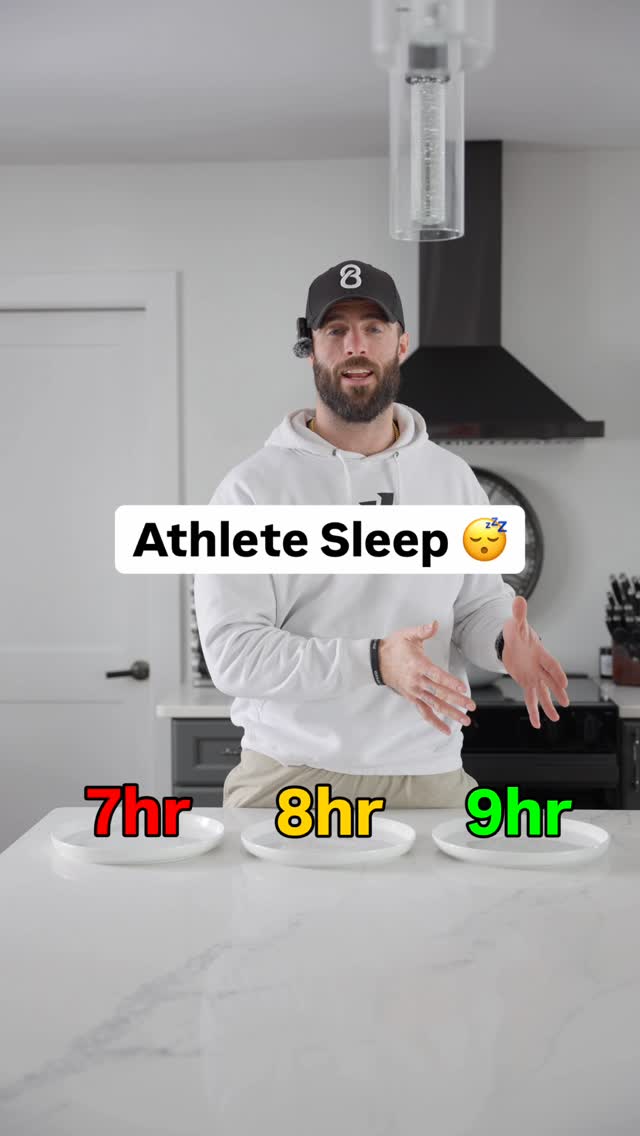 @coachelliotallen444.0KAthlete Sleep 😴View breakdown
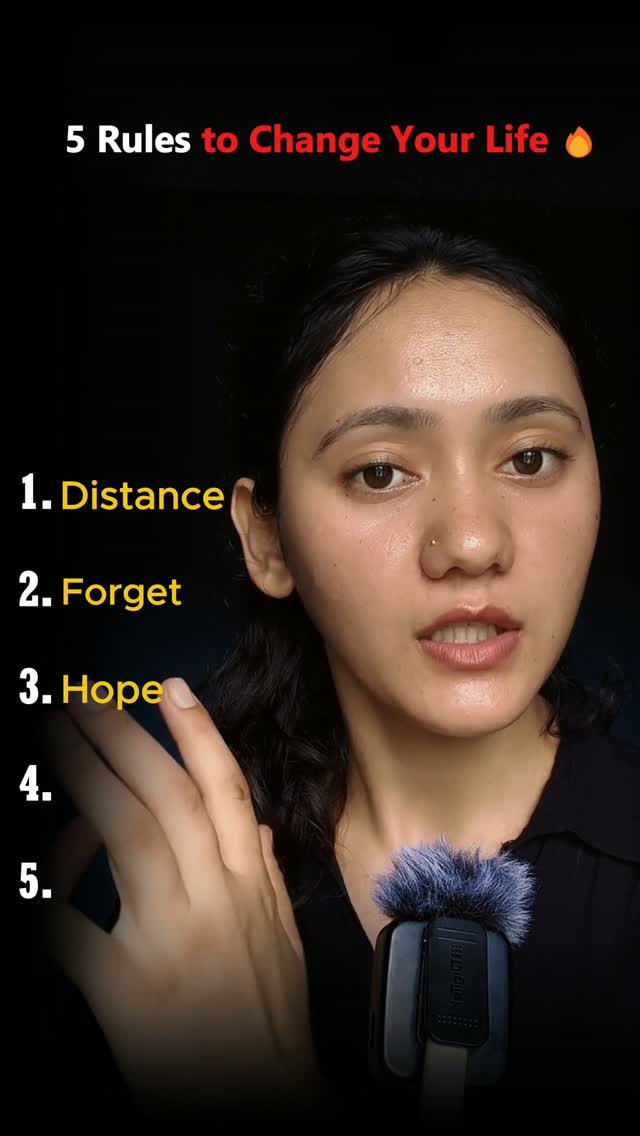 @deep.apawar61.9Mतुम्हें नई जिंदगी चाहिए लेकिन क्या तुम अपने पुराने सेल्फ को छोड़ने के लिए तैयार हो अगर हां तो वीडियो को आखिर तक देखनाView breakdown
 @higherupwellness10.5MLove of God, whatever you do in an interview process, do not forget to ask the high-performer question, despite my current guard.View breakdown